
TrackMania, on your Mac.
Play TrackMania games on Apple Silicon. One free app installs the game you pick and everything it needs.
macOS 14 or later (15.4+ recommended)
Free and open source
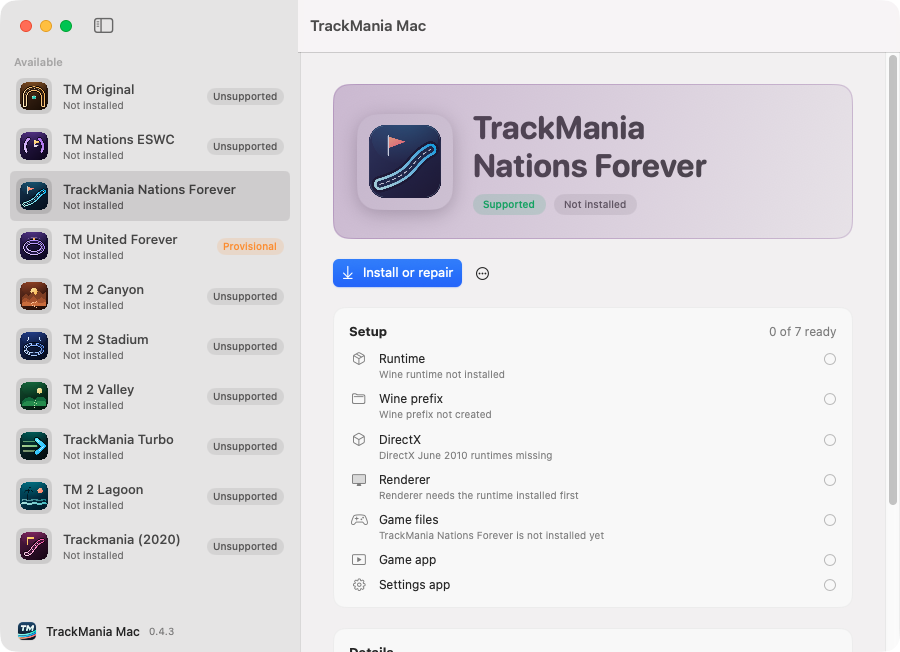
Four checkpoints from download to racing.
-
Download
Get TrackMania-Mac.app.zip from the latest release, unzip it and drag TrackMania Mac into Applications.
-
Open
If macOS says it can't verify the app, go to System Settings > Privacy & Security and click Open Anyway. Once is enough.
-
Install
Pick a game; Nations Forever is the supported one. Click Install or repair and choose Download prebuilt. It takes a few minutes. Other games ask for what they need, such as a retail installer or a Steam folder.
-
Play
When the checklist is all green, click Play. The game also appears in Applications under its own name, such as TrackMania Nations Forever.
The first launch takes a moment, and the game window may open behind others. On Nations and United Forever, click OK on the game's "Network check" dialog.
Everything set up for you.
The hub checks each piece before you play, the same list you see in the app.
-
One-click install
The hub gets the game, a patched Wine runtime and DirectX, adds the Competition Patch for Nations and United Forever, then checks every piece.
-
Real Mac apps
Each game you install gets an app to play and a Settings app for graphics and audio, such as TrackMania Nations Forever and TrackMania Settings.
-
Competition Patch included
Nations and United Forever start with TMLoader, Competition Patch and CoreMod, so online play works the way the community plays today.
-
Exact physics
An x87 translator keeps the Forever games' 24-bit floating-point math intact under Rosetta, so runs behave like they do on Windows.
-
Fast graphics
D9VK and MoltenVK turn Direct3D 9 into Metal, with a shader cache that carries over between launches.
-
Your saves stay safe
Saves, replays and settings live in their own folder. Uninstalling a game keeps them.
The TrackMania family.
-
 Supported
Nations Forever
Free download from Nadeo
-
 Provisional
United Forever
Official retail installer, needs your serial key
-
 Unsupported
Original
Your own retail disc image or setup file
-
 Unsupported
TrackMania 2 Canyon
Official ManiaPlanet trial
-
 Unsupported
Turbo
Your existing Steam game folder
-
 Unsupported
Nations ESWC
Official free installer
-
 Unsupported
TrackMania 2 Stadium
Official ManiaPlanet trial
-
 Unsupported
TrackMania 2 Valley
Official ManiaPlanet trial
-
 Unsupported
TrackMania 2 Lagoon
Official ManiaPlanet trial
-
 Unsupported
Trackmania 2020
Your existing Trackmania game folder
Provisional titles install, but graphics, copy protection, online play and full gameplay are not fully tested yet. Unsupported titles are listed for completeness and are not expected to run yet.
A closer look.
-
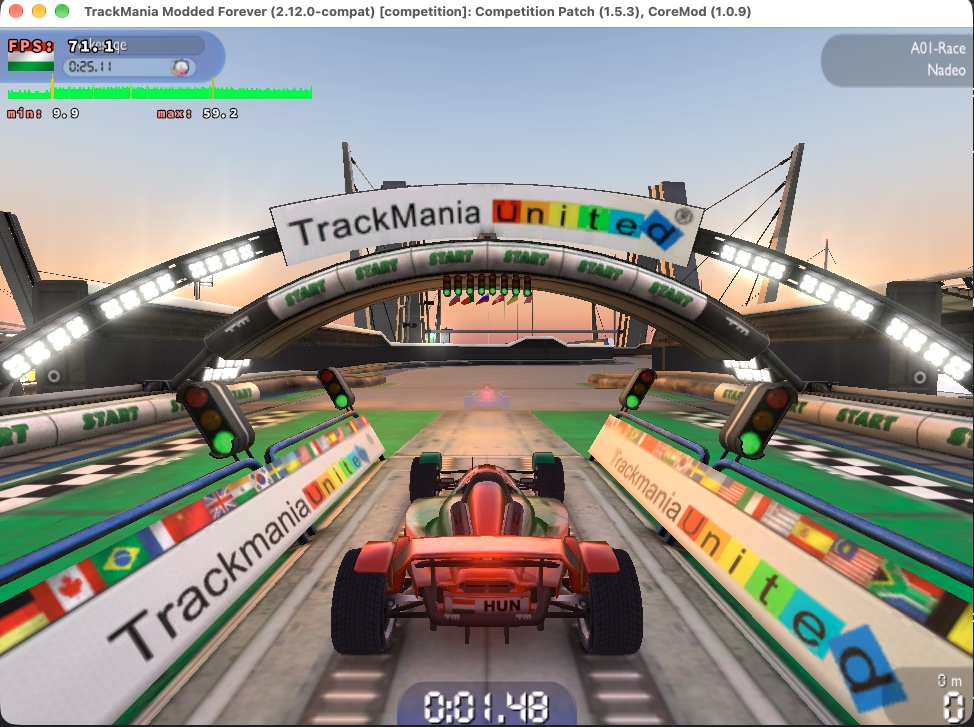
In gameNations Forever on an M1 Pro in a 1280x720 window, with the frame rate overlay on. -
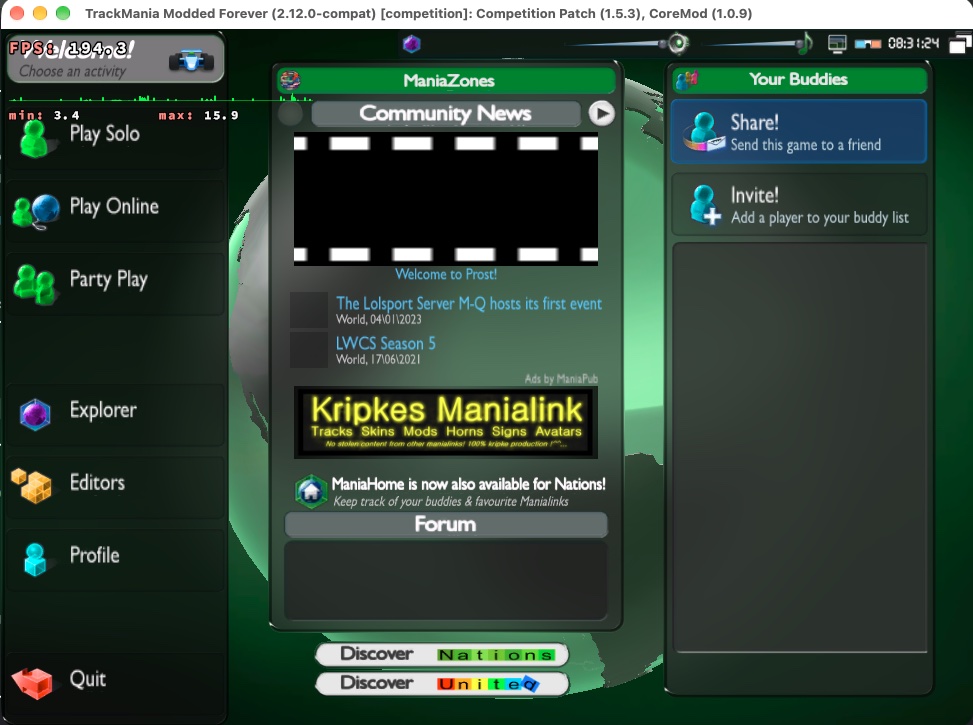
Main menuCompetition Patch and CoreMod load automatically. -
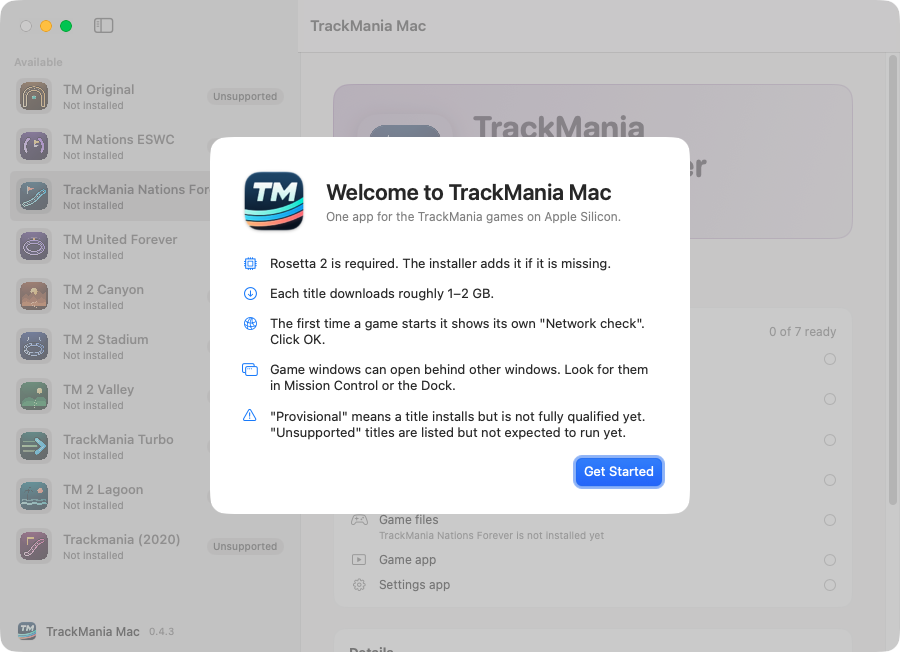
WelcomeThe hub explains what to expect before you start.
Questions and answers.
Which Macs does it work on?
Any Mac with Apple Silicon (M1 or later) running macOS 14 Sonoma or later. Intel Macs are not supported. Rosetta 2 is required, and the installer adds it if it's missing. macOS 15.4 or later is recommended: on older versions the x87sidecar accelerator can't hook Rosetta, so the game runs on stock Rosetta and is slower.
Is it free?
Yes. The hub is free and open source. Nations Forever is free; the other games need your own copy. Nothing here is paid.
Do I need Windows or developer tools?
No. The hub carries everything it needs and runs the Windows game through a patched build of Wine.
macOS won't open the app.
Open System Settings > Privacy & Security, scroll down and click Open Anyway next to TrackMania Mac. You only have to do this once.
I clicked Play but no window appears.
The first start takes a while, and the window can open behind others. Check Mission Control or click the game in the Dock.
How do I change resolution or graphics?
Close the game, open TrackMania Settings (in Applications or from the hub), make your changes, save and close it, then play again.
Where are my saves and replays?
For Nations Forever, in ~/Library/TrackManiaMacOS/saves/tmnf/TmForever; other games keep theirs in saves/<id> in the same folder. Finder hides your Library folder, so choose Go > Go to Folder and paste the path. They are kept when you uninstall the game.
How do I uninstall?
In the hub, select the game, click the ⋯ button and choose Uninstall. Your saves, downloaded installers and the runtime stay.
Something went wrong. Where do I get help?
In the hub, click ⋯ > Create diagnostics report, then open an issue and attach the zip. ⋯ > Open Logs Folder shows where it is saved.
Is this official?
No. It's an independent community project, not affiliated with Nadeo or Ubisoft. Games and DirectX are downloaded from their original hosts or supplied by you.

Ready to race?
TrackMania Mac runs on macOS 14 and later on Apple Silicon, and fastest on macOS 15.4 or later.
Download latest release Free and open source